
Callback
Get fast and qualified response in
 WhatsApp
Get fast and qualified response in
WhatsApp
Write to messengers

We can be reached at
We are in the social network

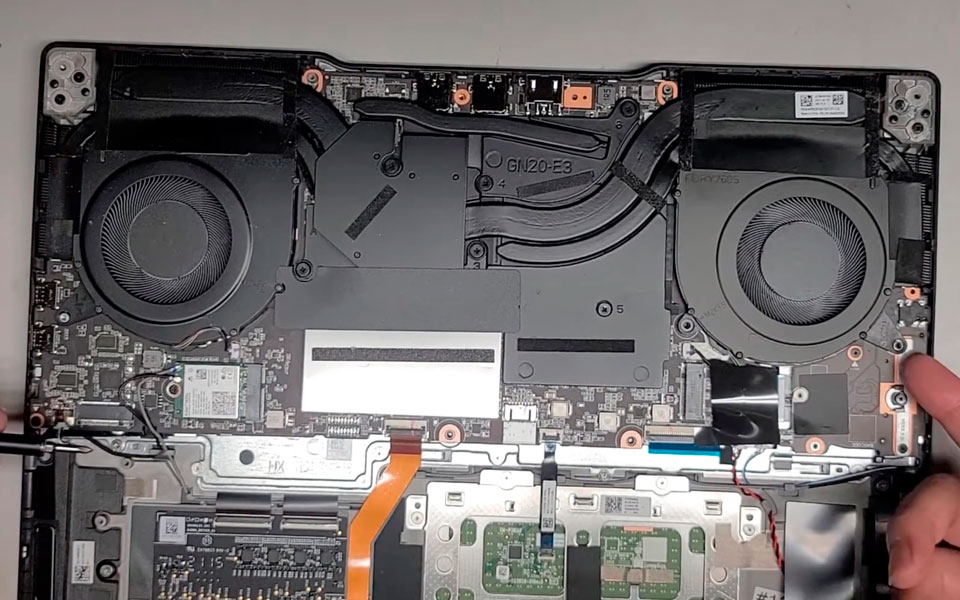

10V CPU (FNK9) or GPU (FNKA) Cooler Fan Replacement Service for Lenovo Legion 15ACH06H 17ACH06H
Most parts listed on our website are available in stock.
Message us to quickly confirm compatibility with your laptop, reserve the part, and book your repair — same-day service is often available.
At our service center in Lisbon, we provide professional cooling fan replacement for Lenovo Legion 15ACH06H 17ACH06H with guaranteed results and fast installation.

These laptop models use an advanced dual-fan cooling system with multiple heat pipes.
When overheating occurs, the fans start spinning at higher RPM, which leads to bearing wear, increased noise levels, vibrations or even complete fan failure.
Our technicians perform careful disassembly and fan replacement.
As well as full cooling system diagnostics and thermal interface renewal if required.
We use only original cooling fans or high-quality tested replacements.
After the replacement you get:
Replacement time with fans in stock — just 1 hour.
💡 A discount is offered when replacing both fans together.
This is more cost-efficient and safer, as both fans in these models wear out almost simultaneously.

Fan failure is often a consequence of overheating or operating the laptop at high temperatures for long periods.
If the cooling system is not serviced in time, it may lead to:
Therefore, we recommend replacing worn-out thermal interfaces, which are often applied unevenly and insufficiently at the factory.
This improves cooling efficiency and increases the lifespan of the fans and motherboard components.
How long does fan replacement take?
Lenovo Legion 15ACH06H, Legion 17ACH06H fan replacement takes about 1 hours if the required fans are in stock.
Full cooling system cleaning and maintenance service takes about 1-2 hours.
If the required fan model is unavailable, we place an order and notify you as soon as the part arrives.
Should thermal paste and thermal pads be replaced?
Yes, especially if more than six months have passed since the last maintenance.
Thermal pads come in different types:
Also even in new laptops, manufacturers sometimes apply thermal interfaces unevenly, which may cause local overheating.

After 6–12 months of use, thermal paste loses efficiency and temperatures may increase by 5–8°C, which negatively affects the lifespan of electronic components.
Liquid metal used in cooling systems also degrades over time.
After about 1–2 years it can form solid oxides, which reduces cooling performance and may damage chip surfaces.

Cleaning the cooling system and replacing thermal interfaces usually takes about 2–3 hours.
Do you install original fans?
Yes — we install original fans.
In rare cases, if the original part is unavailable, we offer high-quality tested replacements.
How can I check if my laptop is overheating?
You can check temperatures using AIDA64 → Tools → Stability Test.
If GPU temperatures exceed 82°C or CPU temperatures exceed 95°C under load, the cooling system likely needs maintenance.
You can also monitor temperatures using GPU-Z or HWMonitor — both programs are lightweight and provide detailed information.
We also recommend reading our article about thermal interfaces:
“Gaming Laptop Overheating Explained — Causes, Risks & Pro Fixes”
Callback